
Product tour
See XO Gridmaker in action.
Watch the seven-minute overview, then explore six steps in the order a season actually happens: draw a play, stack the book, ask Coach Cal, call it on Saturday, review the film, and print the wristbands.
Play design, Coach Cal, rosters, communication, scheduling, practices, and volunteers — shown in the real app.
Draw it
Draw the play the way
you’d draw it on a napkin.
Set a formation, then pull routes straight from the list — Slant, Post, Wheel, Comeback, Out & Up — or drag your own path if the concept isn’t a stock route. Blocks, motion, and the snap point all live on the same field.
Press Motion and the whole play runs at 0.5×, 1×, or 2×, so you can see whether the timing actually works before you teach it.
Organize
A book you can actually
find a call in.
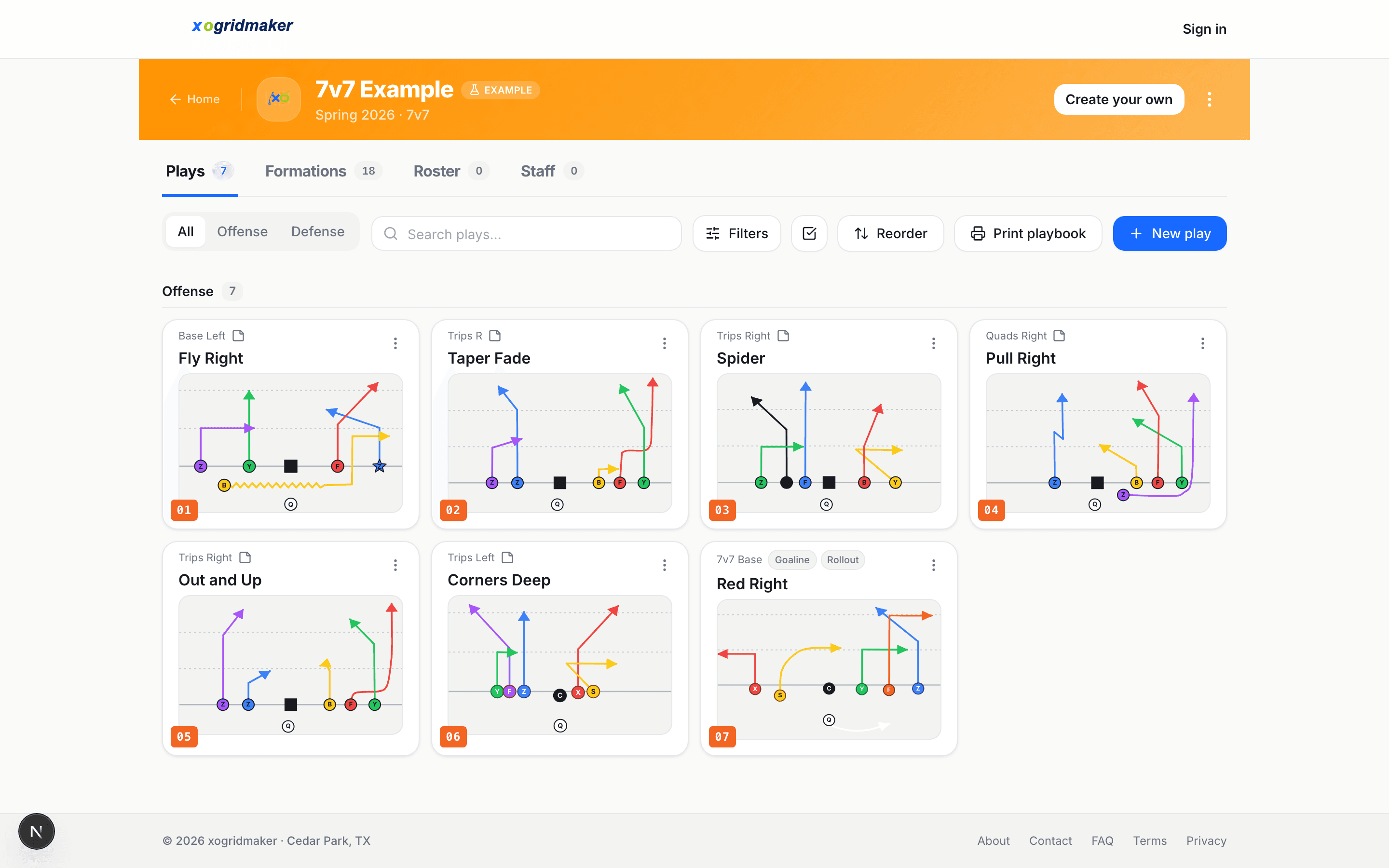
Plays land in a numbered grid, each card showing its formation and tags. Split offense from defense, search by name, and reorder them into the sequence you install them in.
Formations, roster, staff, calendar, and practice plans sit on tabs next to the plays — one place per team instead of a folder of PDFs and a group text.
Ask
Stuck? Ask Coach Cal to draw it.
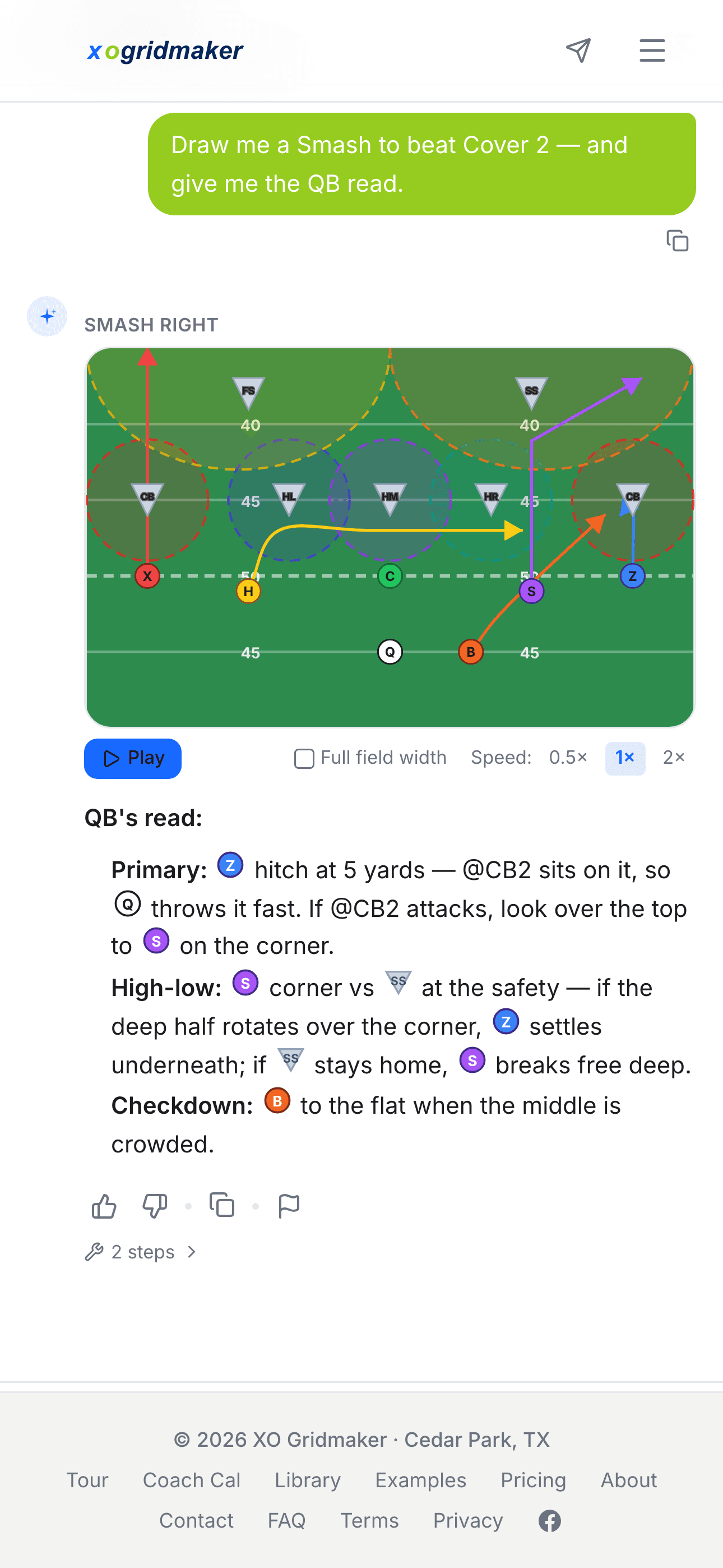
Describe what you need — “a Smash to beat Cover 2, and give me the QB read” — and Coach Cal draws it into the playbook and writes the progression underneath. It can also plan practices, review last week’s game, and build a situational call sheet.
Every coach gets 10 prompts free to try it.
Game day
Call the game with
one thumb.
Game Mode turns the book into a sideline call sheet. Pick the play, mark what happened — gain, first down, score — and it queues you straight into choosing the next call.
The score and the drive follow along, and the play’s notes come up with it, so you’re not thumbing through a binder between series.
Prefer a paper-like display? The Android app’s Paper Mode for e-ink tablets keeps the saved playbook high-contrast, low-motion, and available offline for game day.

Review
Turn the film into
the next correction.
Upload the whole game once, mark every snap, and open each play for frame-by-frame review. Add arrows, circles, text, or freehand marks, then choose exactly how long the coaching note stays on screen.
Film begins as a coach-only draft. Share the finished lesson with approved team members when it is ready—not before.
From screen to wristband.
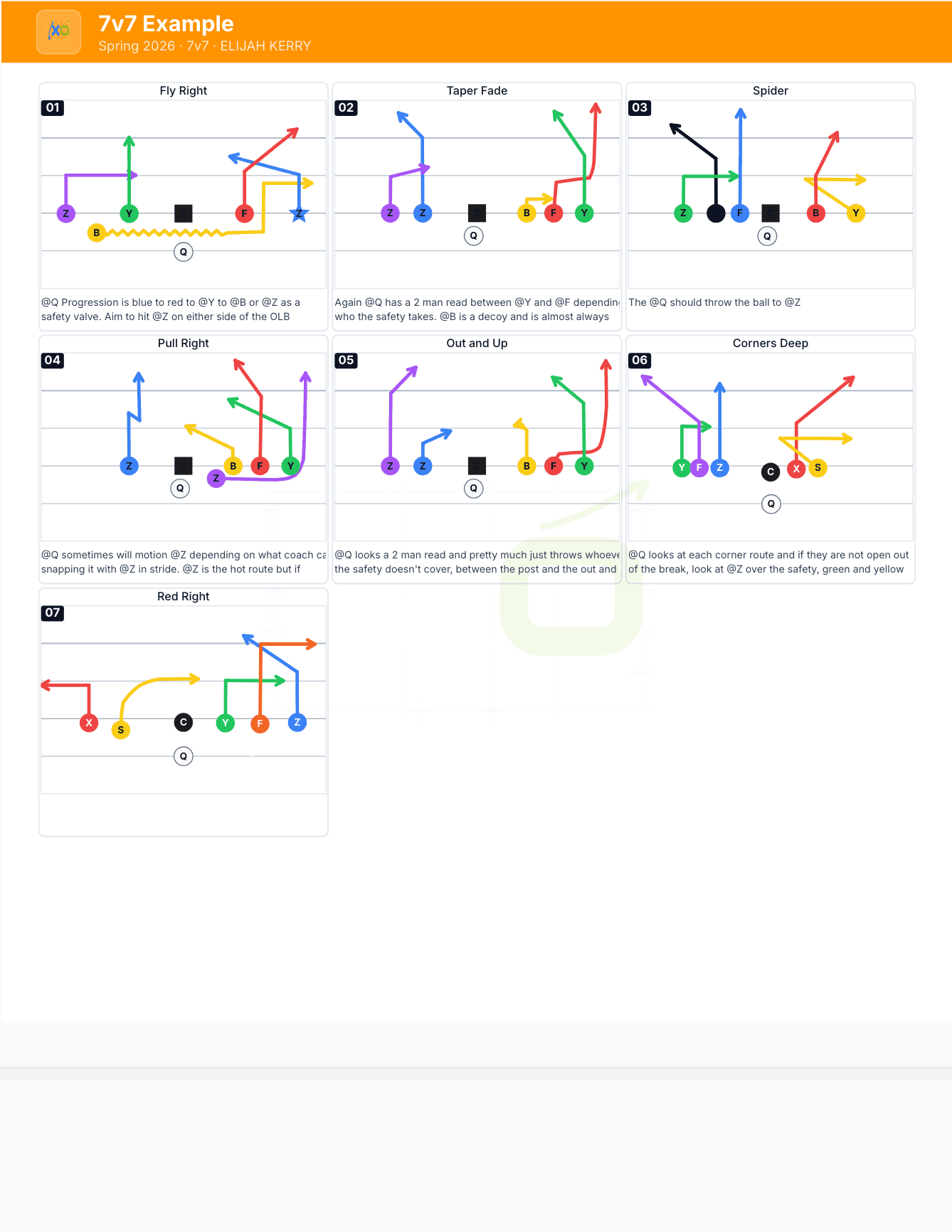
One click makes the PDFs: wristband strips, a full call sheet, or the bench binder. Numbering, formations, and tags all carry through, so what you hand a ten-year-old matches what’s on your phone.
Every example playbook has a live print preview — open one and hit print without signing up.
That’s the whole loop. Run it for your team.
Free to start — draw your first play in a couple of minutes, and invite the roster when you’re ready.